> For the complete documentation index, see [llms.txt](https://support.corostw.com/llms.txt). Markdown versions of documentation pages are available by appending `.md` to page URLs; this page is available as [Markdown](https://support.corostw.com/coros-app-1/april-2025-update/record-a-track-run-with-a-non-standard-track-size.md).
# 運動場跑步模式,支援非標準 400 公尺跑道
\*適用於 PACE 3、PACE Pro、APEX 2、APEX 2 Pro、VERTIX 2 和 VERTIX 2S
能夠記錄符合您所處環境的運動是必須的。有了全新的非標準跑道尺寸選擇功能,您可以將手錶設定為運動場跑步模式,以在非標準跑道 1 長度(從 200 公尺到 400 公尺)的標準橢圓形跑道上記錄鍛鍊數據。
要了解有關軌道運行模式的更多信息,[請單擊此處。](https://support.coros.com/hc/en-us/articles/360039841832-Track-Run)
### 使用說明
請按照以下說明為您的手錶設定運動場大小,以便在運動中記錄:
1. 選擇 “運動場跑步” 模式
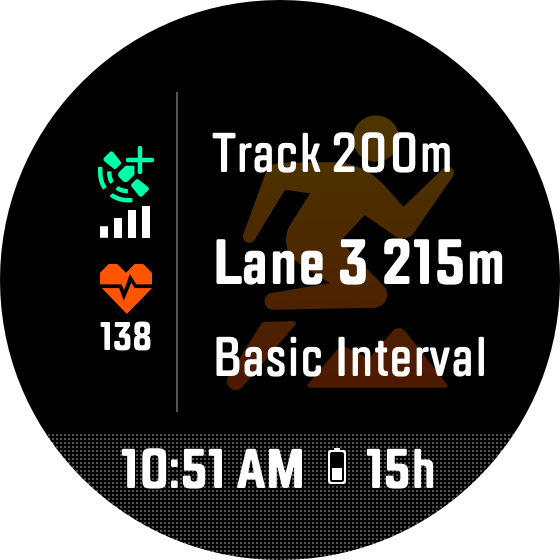
2. 在按下 “開始” 按鈕之前,向下捲動並選擇 “運動場 400m” 選項
* 這裡也可能顯示 「運動場 200m」、「運動場 300m」,或顯示不同的數字,視您先前的自訂運動場尺寸設定而定。
3. 選擇在 200 公尺、300 公尺或 400 公尺室外運動場上記錄訓練。如果您的運動場長度與這些可用選項不同,請選擇 「自訂」 並設定第 1 道跑道的長度。
* 請注意:非標準運動場功能可支援 200 \~ 400 公尺之間的任何室外運動場長度。
4. 設定好運動場長度後,向下捲動以選擇您計劃進行訓練的跑道。
* 手錶將自動調整每條跑道長度,以準確地匹配您選擇的跑道。
5. 配置運動場尺寸並選擇跑道後,您可以查看運動場跑步模式中可用的其他選項並開始訓練!
 > ***COROS Support 小教室***
>
> 如果您在室內跑道上訓練,請使用跑步機跑步模式。運動場跑步模式(包括非標準運動場設定)需要 GPS 連接,在室內時可能會受到限制。跑步機跑步模式則採用步頻模型來計算專門針對室內跑步的距離。有關我們的設備如何追蹤室內跑步的更多信息,[請按此處。 ](https://support.coros.com/hc/en-us/articles/360039841712-Indoor-Run-Treadmills)
> ***COROS Support 小教室***
>
> 如果您在室內跑道上訓練,請使用跑步機跑步模式。運動場跑步模式(包括非標準運動場設定)需要 GPS 連接,在室內時可能會受到限制。跑步機跑步模式則採用步頻模型來計算專門針對室內跑步的距離。有關我們的設備如何追蹤室內跑步的更多信息,[請按此處。 ](https://support.coros.com/hc/en-us/articles/360039841712-Indoor-Run-Treadmills)