> For the complete documentation index, see [llms.txt](https://support.corostw.com/llms.txt). Markdown versions of documentation pages are available by appending `.md` to page URLs; this page is available as [Markdown](https://support.corostw.com/coros-user-guides/sports-mode/climbing/50075135255956-climbing-route-detection.md).
# 攀岩路線偵測
\*目前僅提供美國攀岩路線。更多地區的支援即將推出。
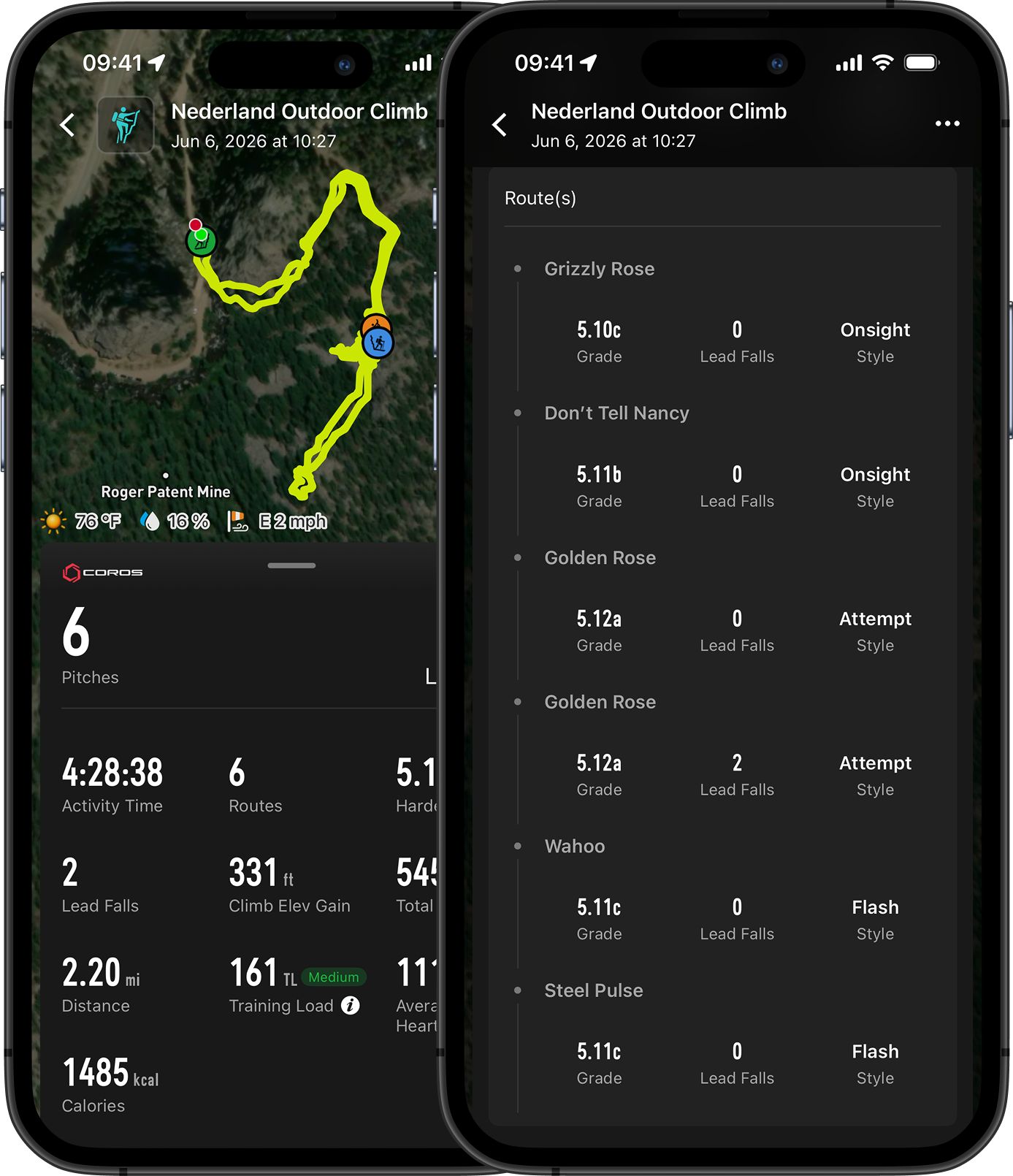
您的 COROS 手錶能夠自動識別並記錄攀岩路線,讓戶外攀岩的追蹤更加順暢。攀岩路線資料庫會將您的手錶連接到美國戶外攀岩路線的資料庫,根據您所在位置顯示路線名稱與難度等級、自動記錄您攀爬的路線,並在活動結束後將所有資料同步至活動摘要。
#### **功能概覽**
路線偵測功能可以:
* 根據您的 GPS 位置識別附近路線,並讓您選擇想要攀登的路線
* 自動記錄路線名稱與岩距難度等級
* 在攀後摘要中填入準確的路線資料,清楚呈現您的攀登紀錄與進步歷程
 #### **設定方式**
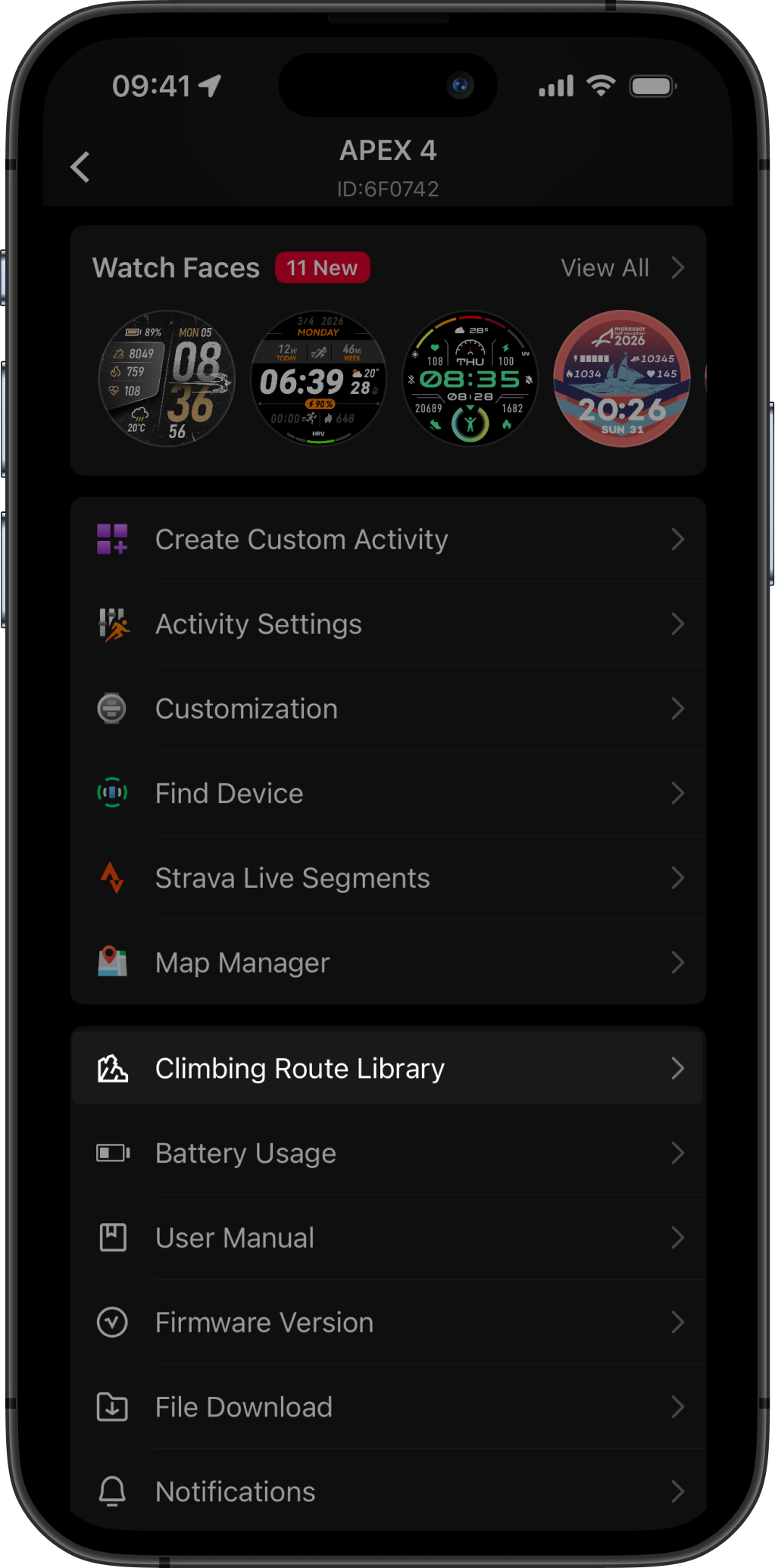
使用攀岩路線資料庫前,請先將資料庫下載至手錶。
1. 開啟 COROS App,進入「個人資料」頁面。
2. 選擇您的手錶。(支援裝置:COROS NOMAD、APEX 2 Pro、APEX 4、VERTIX 2、VERTIX 2S)
3. 向下捲動並選擇「攀岩路線資料庫」,依照畫面步驟將路線檔案下載至手錶。
#### **設定方式**
使用攀岩路線資料庫前,請先將資料庫下載至手錶。
1. 開啟 COROS App,進入「個人資料」頁面。
2. 選擇您的手錶。(支援裝置:COROS NOMAD、APEX 2 Pro、APEX 4、VERTIX 2、VERTIX 2S)
3. 向下捲動並選擇「攀岩路線資料庫」,依照畫面步驟將路線檔案下載至手錶。
 #### **如何在 COROS 手錶上尋找路線**
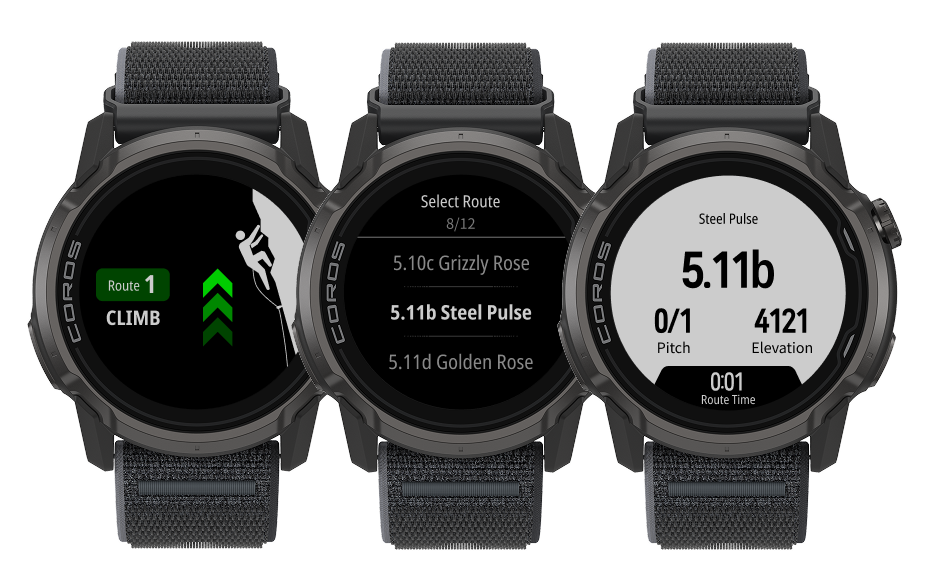
在戶外攀岩模式追蹤攀登過程中,每當您進入「攀登」階段,手錶會自動偵測附近的已知路線。
* 若您目前處於「接近」、「休息」或「下撤」階段,請按下錶盤並選擇「攀登」。
* 手錶會根據您目前的位置列出附近的已知路線。
* 路線依難度排列。轉動錶盤捲動瀏覽並選擇要攀登的路線。
* 若您要攀登的路線未列出,請向下捲動並選擇最底部的「未列出路線」。您可以之後在 COROS App 的活動摘要中編輯路線名稱。
* 手錶會在您攀登過程中自動記錄路線名稱與岩距難度等級,並同步至完成後的活動摘要——無需手動輸入。
#### **如何在 COROS 手錶上尋找路線**
在戶外攀岩模式追蹤攀登過程中,每當您進入「攀登」階段,手錶會自動偵測附近的已知路線。
* 若您目前處於「接近」、「休息」或「下撤」階段,請按下錶盤並選擇「攀登」。
* 手錶會根據您目前的位置列出附近的已知路線。
* 路線依難度排列。轉動錶盤捲動瀏覽並選擇要攀登的路線。
* 若您要攀登的路線未列出,請向下捲動並選擇最底部的「未列出路線」。您可以之後在 COROS App 的活動摘要中編輯路線名稱。
* 手錶會在您攀登過程中自動記錄路線名稱與岩距難度等級,並同步至完成後的活動摘要——無需手動輸入。